Tessavra Agent · Live assist
Help for the rep during the call.
The Panel puts the rule, the answer and your manager’s typed message in one place during the call.
Current limits
- Manager messages are typed only. There is no voice or whisper.
- The bar and panel are excluded from screen sharing on macOS only. Other capture tools and some sharing modes may still show them.
- Live transcription depends on a streaming service that has not been deployed.
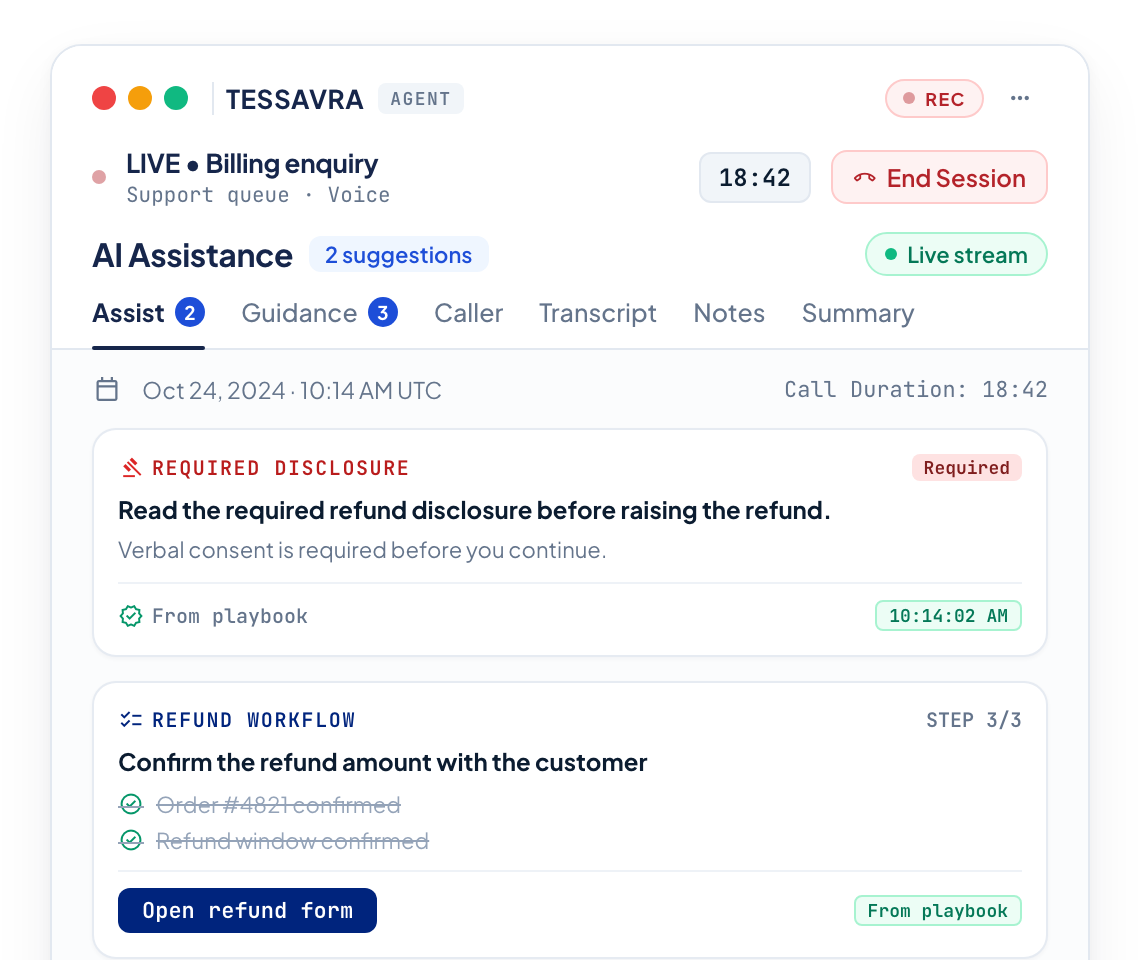
Illustrative interface — fictional demonstration data.
The Panel
Guidance, answers and notes on one panel.
The Panel keeps the assist, guidance, caller, transcript, notes and summary a click apart, in one panel.
- Assist, Guidance, Caller, Transcript, Notes and Summary
- Guidance names the rule behind it
Ask anything
Ask, or catch up in one tap.
Type a question about the meeting and get an answer that cites the transcript. Tap What did I miss when you join late or lose the thread.
- Cited answers about this meeting
- What did I miss for the call so far
From your manager
Typed messages from a manager, clearly labelled.
A manager can send a typed message to a rep during a call. It arrives labelled From your manager, apart from the hints that come from rules. There is no voice or whisper.
- Typed messages only
- Labelled From your manager
- Kept separate from rule-based hints
Screen sharing
Left out of screen sharing on macOS.
On macOS, the Bar and Panel are left out of screen sharing, and your organisation can lock that setting. Other capture tools and some sharing modes may still show them, and the Workspace window can still be shared.
- macOS only
- Bar and Panel, not the Workspace window
- Other capture tools may still show them
After the call
A summary when the call ends.
When the call ends, a summary lists the key issue, the resolution and the next steps. It is AI-generated and has not been through a quality evaluation, so check it before you copy it.
- Issue, resolution and next steps
- Edit before you copy it
Help you can check.
Named rules
Every prompt shows the rule behind it.
Cited answers
Answers about the meeting cite the transcript.
Off the shared screen
Bar and Panel are excluded from screen sharing on macOS only.
More in Tessavra Agent.
The rest of the platform.
Common questions
Does the Panel write what I say?
No. It shows the rules your team set, cited answers about the meeting, and typed messages from your manager. You choose the words.
Can a customer see Tessavra on a shared screen?
On macOS the Bar and Panel are excluded from screen sharing, and your organisation can lock that setting. Other capture tools and some sharing modes may still show them, and the Workspace window can still be shared. We do not describe this as undetectable.
Can a manager speak to me during a call?
No. Manager messages are typed only. There is no voice or whisper.
Does it work outside customer service?
The Notetaker and the everyday tools use the same app for meetings and desk work.
Talk to us about this.
Live assist is in development. Tell us what you want it to do and we will say plainly where it stands.
Register interest