Tessavra Agent · Workspace
One app, set up for each team.
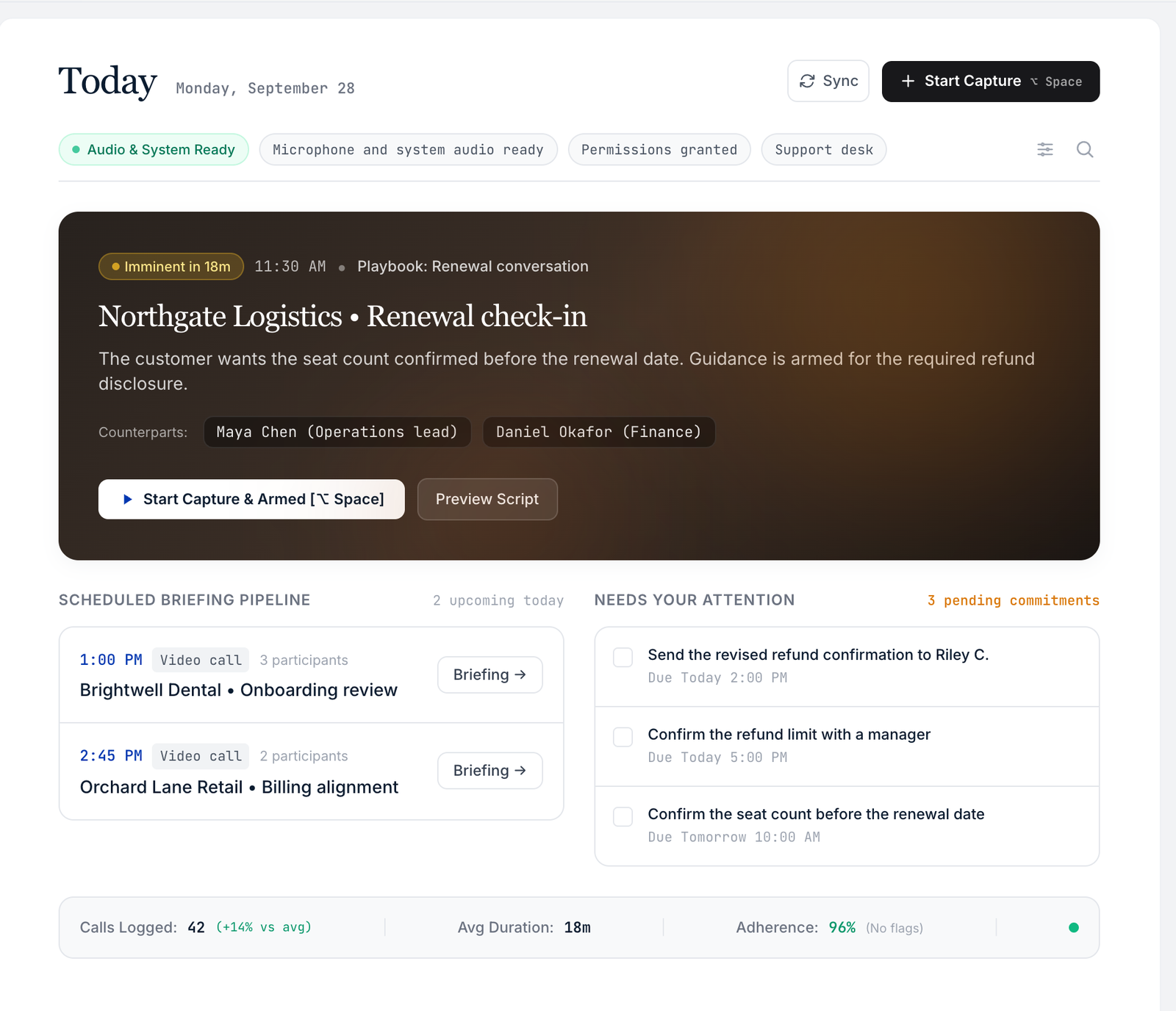
The Workspace is the desktop home for your day. It lists the places and tools each team has been given, so people see what they need.
Current limits
- macOS only.
- Some screens inside it still show placeholder tiles.
Illustrative interface — fictional demonstration data.
Your day
Start from Today.
Today brings the day’s meetings, recent notes and follow-ups together, with the tools one click away.
- Meetings and notes for the day
- Tools one click away
Places and tools
Only the places your team has been given.
The Workspace lists the places for the day, the tools, and settings and help. Each person sees what their team has been granted. Some screens still show placeholder tiles.
- Places, tools, and settings and help
- Composed for each person
Set-ups
Set up once for a whole team.
Choose the customer service, everyday or manager set-up for a team, and give one person an exception without changing the rest. Nothing is on until it is granted.
- Customer service, Everyday and Manager set-ups
- Exceptions per person
- Nothing on until granted
Managed settings
Locked settings say who manages them.
When your organisation locks a setting, you can still see it and who manages it. You just cannot change it.
- Visible, not hidden
- Says who manages it
Where it runs
macOS today, Windows in development.
Tessavra Agent runs on macOS today, with the Bar, the Panel and the Workspace. A Windows version is in development and no availability date has been announced. There is no Linux version.
- macOS today
- Windows in development, no date announced
- No Linux version
Simple for people, controlled for admins.
Per team
One set-up for each team.
Locked when needed
Managed settings stay visible.
macOS today
A Windows version is in development. No availability date has been announced.
More in Tessavra Agent.
The rest of the platform.
Common questions
Who chooses what a team sees?
Your admin applies a set-up to each team. Nothing is on until it is granted.
Can one person have something extra?
Yes. An admin can add a tool for one person without changing the team.
Can I see why a setting is locked?
Yes. A locked setting shows that it is managed by your organisation.
Talk to us about this.
Workspace is in development. Tell us what you want it to do and we will say plainly where it stands.
Register interest